Quick deploy
Launch a token from one modal, from anywhere in the app.
Quick in the footer opens the Quick deploy modal — the whole launch on one screen. Everything you don't see here comes from your saved defaults under Settings → Quick deploy, including the launch tasks that autostart at the mint.
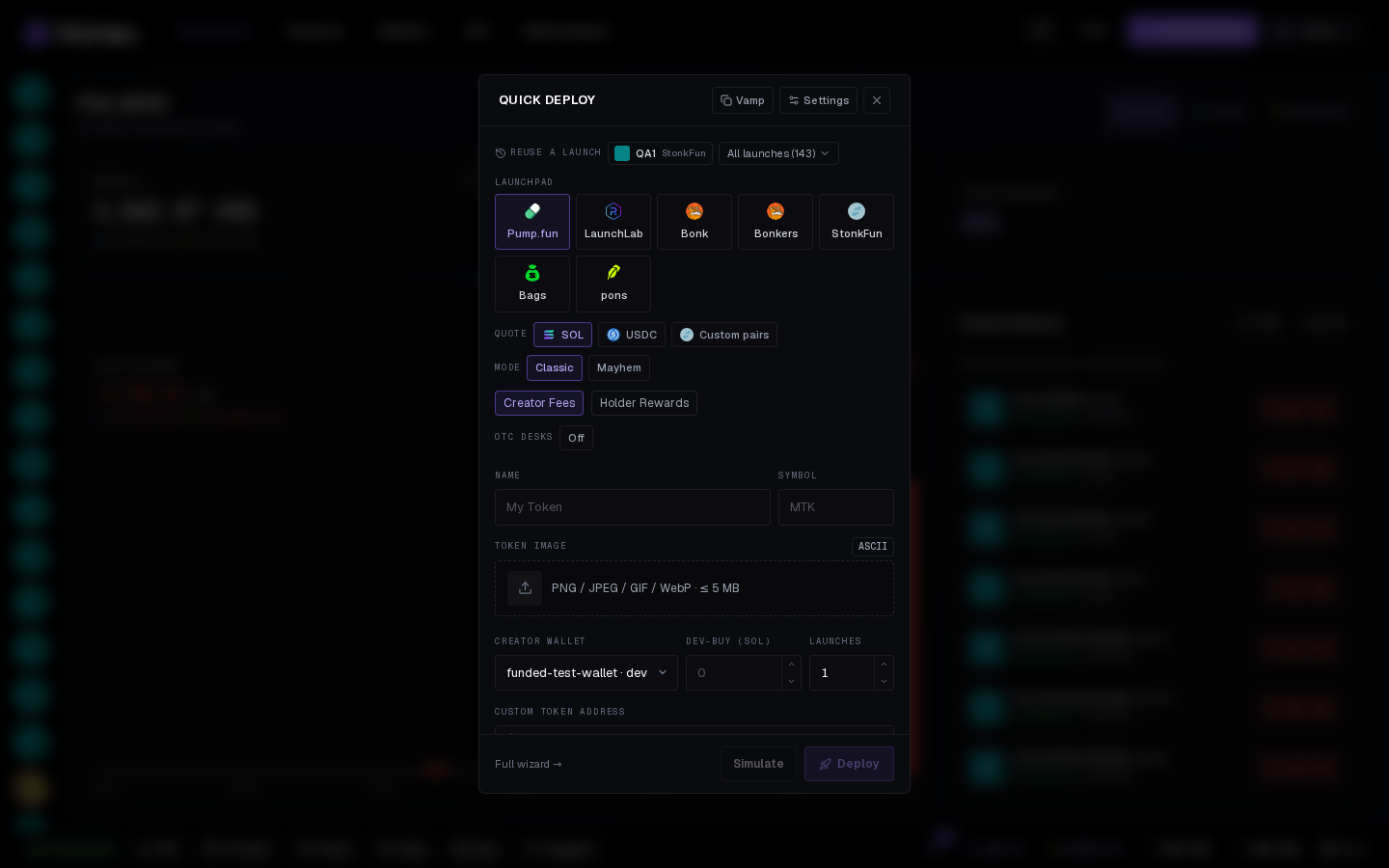
The form#
- Launchpad · quote — same tiles as the wizard. On pons pick ETH, USDG, a stock under More stocks…, or paste a Custom CA.
- Creator fees (pons) — recipient (Creator wallet, Holders or Custom address), Tax up to 10 %, Buyback on/off.
- Name, Symbol, Token image — PNG, JPEG, GIF or WebP up to 5 MB, or generate an ASCII image.
- Creator wallet — any wallet in your global pool on that chain.
- Dev-buy — how much the creator buys in the mint transaction (in SOL on SOL pairs and stock-quoted pump.fun curves). The line under it shows the creator's live balance, slippage and priority fee.
- Custom token address (Solana) — paste a mint keypair secret for a vanity address, or leave it empty to use a reserved address on supported launchpads. Contract address (CA) shows the reservation; click to copy or refresh it. See Token details.
- Launches — 1 mints once; up to 10 identical mints in a row. Above 1, the line says how many your wallets can fund — see Launch settings.
Handy extras:
- Reuse a launch chips fill the form from a previous launch, tasks and wallets included.
- Vamp tab clones an existing token's look — see Clone a token.
- Full wizard → carries what you typed into the 4-step wizard, for changing wallets or tasks just this once.
Simulate and Deploy#
- Simulate — checks launch creation without broadcasting. Read the result for any creator buy or task execution that was not tested. See After launch.
- Deploy — the real launch; the terminal opens on the new mint.
Which wallets trade at launch
Quick deploy uses the launch tasks, wallets and amounts saved in your deploy defaults. Check Settings → Quick deploy to see exactly what will fire.