Create a project
The 4-step wizard that mints your token.
A project is one token: its metadata, the wallets that launch it, and the tasks that fire at the mint. Create Project (top bar, or the plus on the left rail) opens the wizard. Close it anytime — the draft is saved and reopens where you left off via Resume on the Projects page.
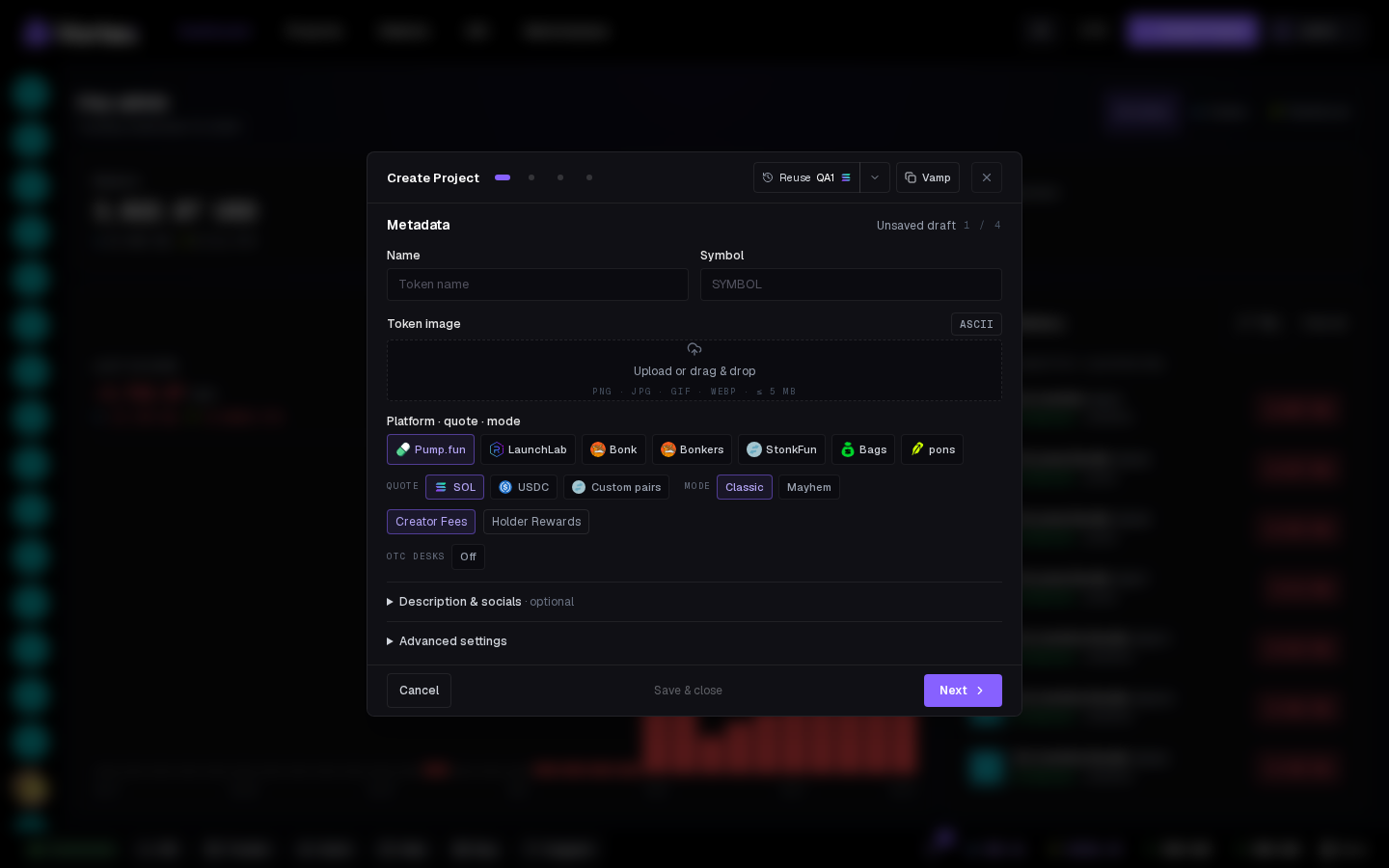
The four steps#
- Metadata — name, symbol, image, launchpad, quote, creator fee (pons). See Token details. The Vamp tab fills all of this from an existing token — see Clone a token.
- Wallets — the dev wallet that mints, its dev buy, and the project wallets tasks trade from. See Wallets step.
- Tasks — launch tasks (Snipe, Buy, Volume…) with autostart. See Tasks step.
- Review & Deploy — summary plus Launch at and Launches. See Launch settings.
Nothing is minted before the last screen.
Review & Deploy#
The last step lists everything: token, creator wallet, quote, dev buy, wallets and tasks. Before you can launch, add: names what's missing — until that list is empty, Simulate and Create stay disabled.
- Simulate — checks launch creation without broadcasting. Read the result for any untested creator buy or task execution; a creation simulation is not proof that every launch task was tested.
- Create — the real launch. The terminal opens on your new mint. See After launch.
Simulate reads live balances and the live curve, so it catches an under-funded wallet or an oversized plan before you pay for the mint.
Reserved contract address#
On Pump.fun, LaunchLab, Bonk and Bonkers, Contract address (CA) shows the mint reserved for your launch. Click to copy it; Refresh contract address requests another reservation. Wait for a reservation before launching. For a batch, the displayed address belongs to its first launch.
Reservation does not mean the token has been minted. Read After launch to check the actual result.
Drafts#
A closed wizard becomes a Pending card on the Projects page (also a tile on the left rail). Delete a draft from its card; its project-only wallets are soft-deleted and come back if you re-import them.
See also#
- Quick deploy — the one-modal version
- Chains & launchpads