Close out
Sell what's left of a finished launch, close its token accounts and sweep the coin home — for several projects at once.
A finished launch leaves bags across wallets, empty token accounts holding rent (Solana), and coin spread over project wallets. Close out on the Projects page does all three in one go, for as many projects as you tick.
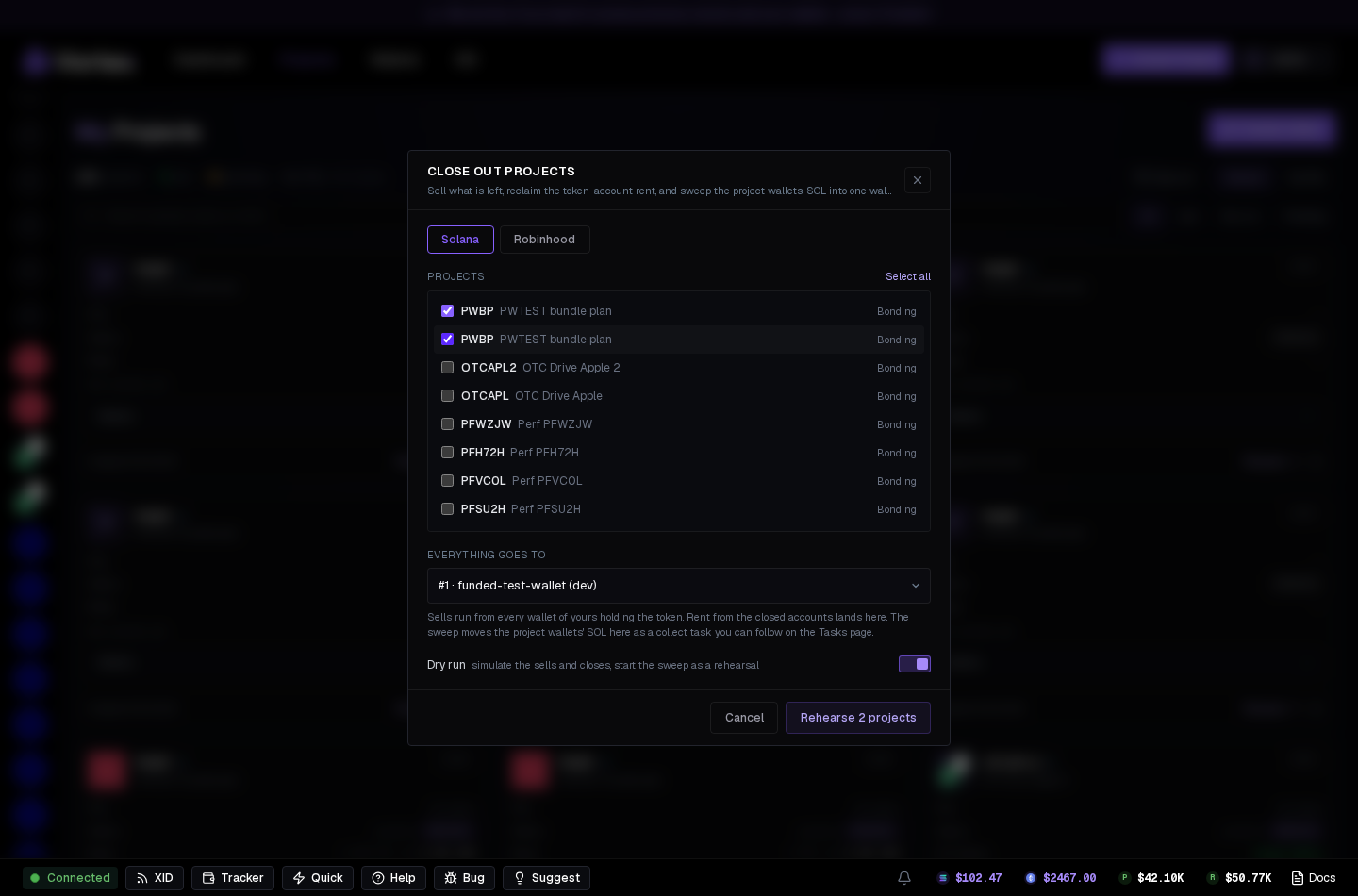
What it does, per project#
- Sells every remaining bag — every wallet of yours holding the token market-sells its whole balance. A token with no working sell route keeps its bags and says so.
- Closes the empty token accounts (Solana) — rent goes to the destination wallet. Accounts still holding tokens are left alone.
- Sweeps the coin — the project's wallets send their SOL/ETH to the destination as a Collect funds task.
Each project reports its own line: what sold, what closed, the sweep task, and anything skipped.
Using it#
- Tick the projects you're done with (or Select all); the modal lists them by chain and stage.
- Destination — the wallet receiving rent and sweep; must be on the same chain.
- Dry run is on by default: everything is simulated, nothing is sent.
- Switch it off, press Close out N projects, then confirm with Sell, close and sweep. For a simulation, press Rehearse N projects. Select up to 100 projects per operation.
A real close out sells the whole bag of every wallet at market with no slippage limit. Only use it on launches you're finished with.
Saved progress#
The queue and its per-project results are saved to your account. Close the dialog or tab and reopen it from Operations on any device. Each result can show per-wallet receipts and a link to the sweep task.
Stop remaining items stops projects that have not started. Continue remaining items skips items needing attention and runs only those still queued. Check affected receipts before creating another closeout.