Wallets step
Step 2 of the wizard: the dev wallet, the dev buy, and the project wallets.
Step 2 gathers this launch's wallets. The DEV wallet mints the token and pays the launch fee; the other project wallets are what step 3's tasks trade from. Every wallet added here is a project wallet, listed on the Wallets page under this project.
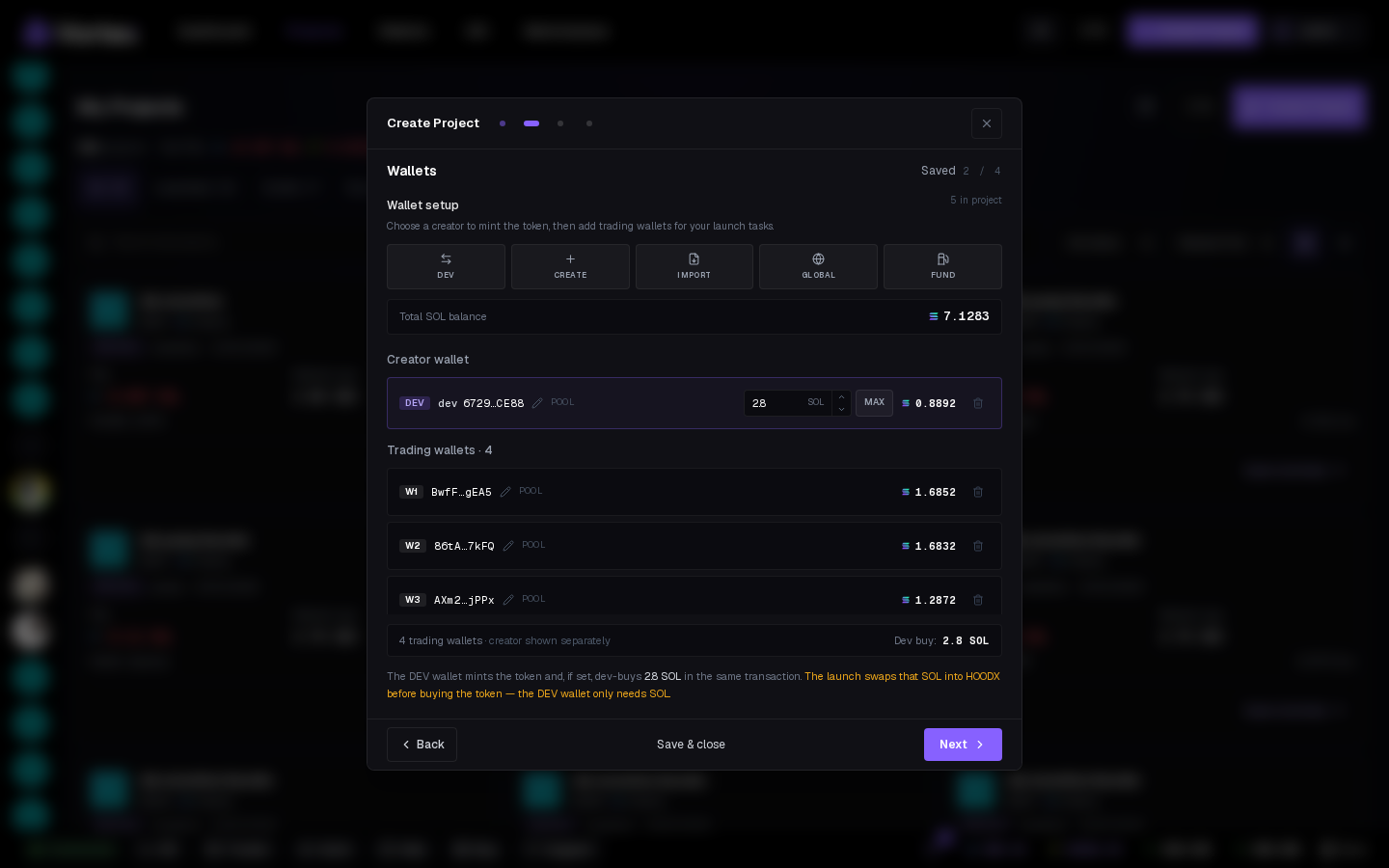
The tiles#
- Dev — add the creator wallet: pick a project wallet, import a key directly, or switch the dev later (the old dev becomes a regular project wallet).
- Create — fresh project-only keypairs; they never appear in your global pool. Set a count and a naming pattern like
Volume #{n}. - Import — one private key per line, encrypted immediately, scoped to this project.
- Global — link wallets from your global pool; they stay in the pool and can serve other projects too.
- Fund — the Fund wallets modal, scoped to the project's wallets.
The header shows the Total balance across the project wallets. A project holds up to 1000 wallets.
The dev row#
The DEV row carries the dev buy: the amount the creator buys in the same transaction as the mint. On a USDG/stock pons quote it must hold that quote (or its ETH is swapped right before the mint); on a stock-quoted pump.fun curve the dev buy stays in SOL and is swapped inside the mint transaction.
Tasks pick from the project wallets. The DEV wallet is the creator — a Snipe or Buy never fires from it.
Empty state#
You can move to step 3 without trading wallets, but the Tasks step will tell you there's nothing to trade with.