Wallets overview
The Wallets page: global pool and project wallets, folders, roles, live balances, and every wallet action.
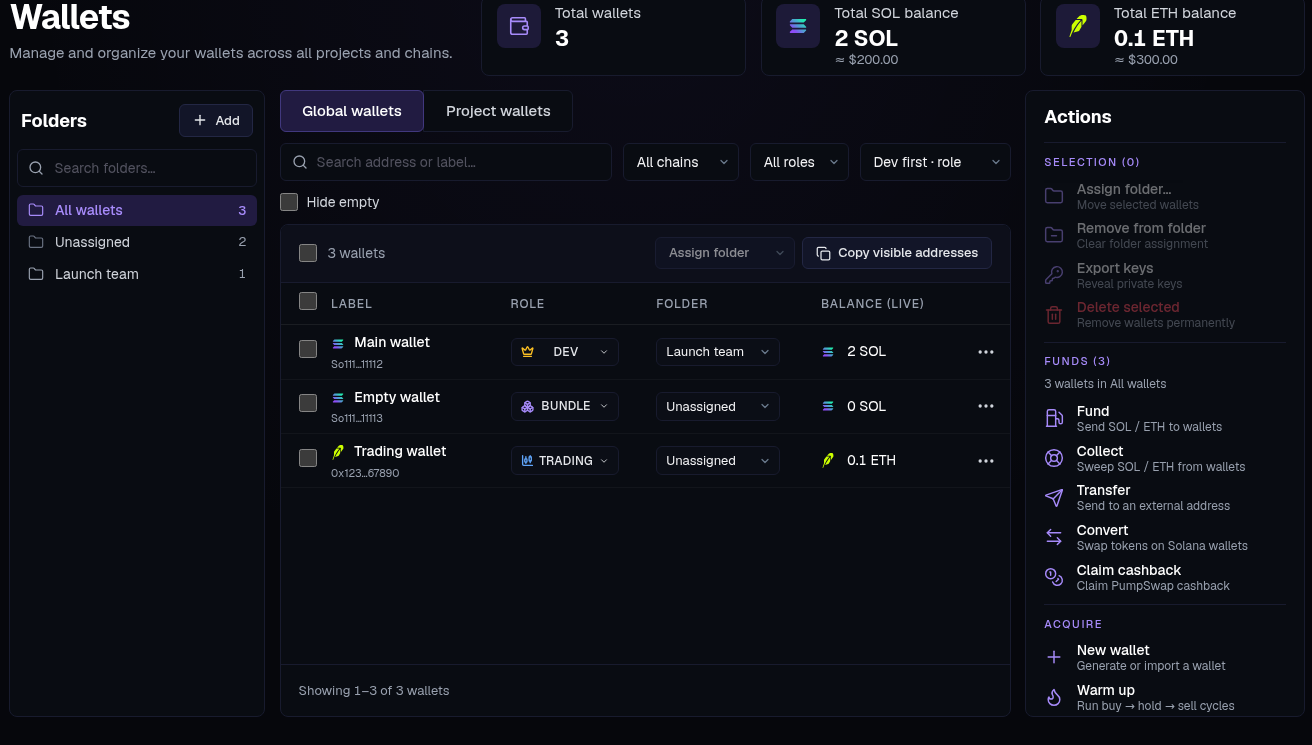
The Wallets page holds every keypair the app manages for you. Wallets live in one global pool, can be filed into folders, carry a role, and can be assigned to projects. Balances are live — no refresh needed.
Global vs Project wallets#
- Global wallets — the pool: everything you generate, import or buy, on either chain.
- Project wallets — pick a project to see its wallets: project-only ones (created in the wizard, never in the pool) plus pool wallets assigned to it. An assigned wallet stays in the pool and can serve other projects.
The header totals the view: wallet count, SOL and ETH.
Folders#
The left column lists All wallets, Unassigned and your folders, each with its count; the folder icon adds one. See Groups.
The table#
Above it: Search address or label…, chain and role filters, sort order, Hide empty, and Copy visible addresses.
- Label — with the address under it (click to copy). Task-created wallets carry the task's name (e.g.
holder-t716). - Role —
Dev,Trading,Holder,Sniper,Bundle,Fee,Temp. A label for you and a filter for forms; a project's DEV wallet is the one that mints. - Folder — where it's filed, or Unassigned.
- Balance (live) — updates on every on-chain change.
- ⋯ — Activity (the wallet's profile: age, trades, positions, realized P&L — its real on-chain footprint, simulations excluded), Copy address, Export key, and delete (Remove from project in a project view).
Actions#
The panel on the right. Tick wallets first; the line under Funds shows which wallets an action starts from.
- Selection — Assign folder…, Remove from folder, Export keys, Delete selected.
- Funds — Fund, Collect, Transfer, Convert, Claim cashback.
- Acquire — New wallet, Warm up, Dev warmup.
Need ready-made wallets? Buy them in the Wallet Marketplace.
Open a wallet directly#
Workspace search opens a wallet's own detail page. It shows the address, chain and role, with Send funds and, on Solana, Convert tokens. All wallets returns to the wallet list.
Transfer#
Send coin from one wallet to any address.
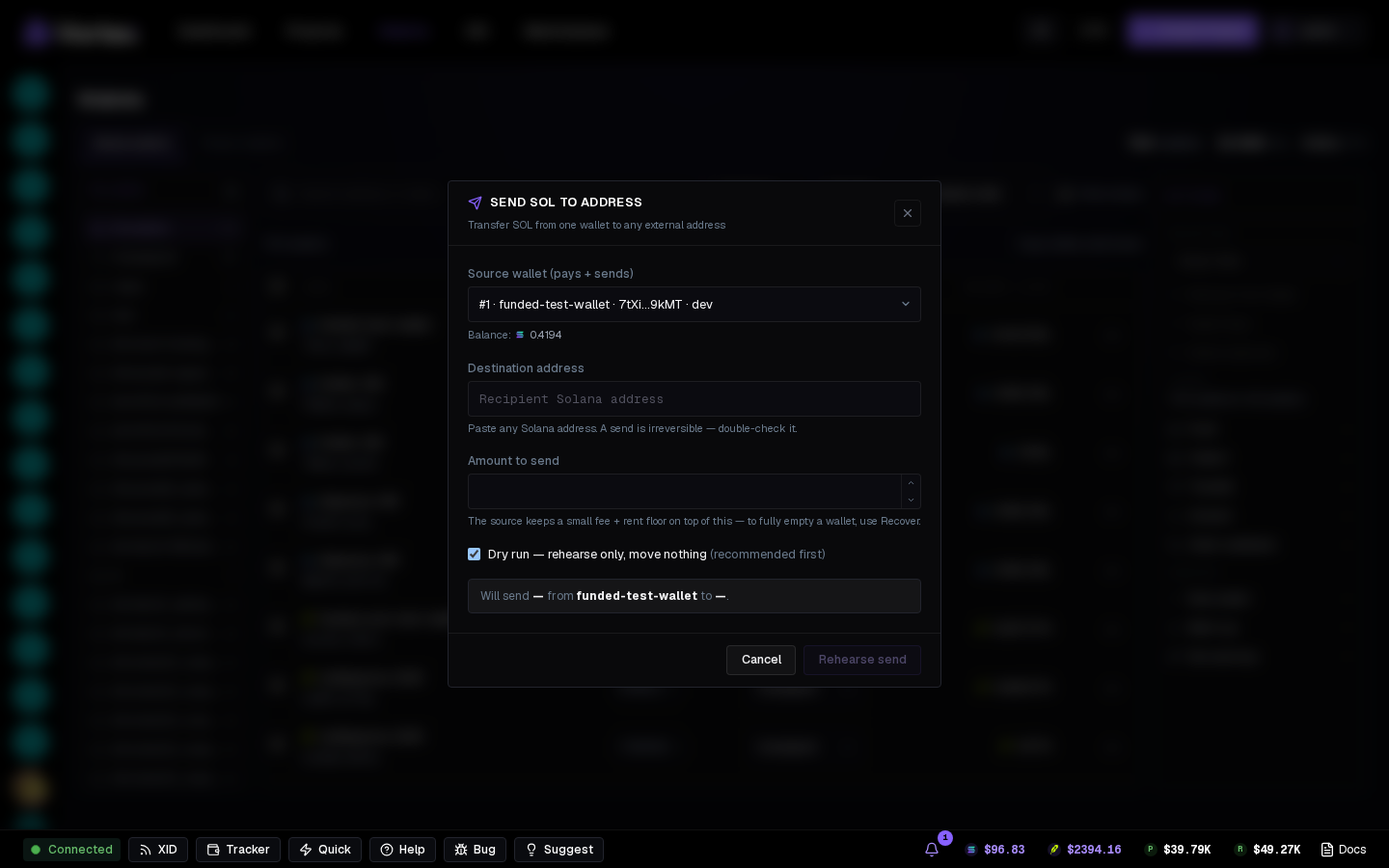
- Source wallet (pays + sends) — its balance shows under it.
- Destination address — any address on that chain. A send is irreversible — double-check it.
- Amount to send — the source keeps a small fee and rent floor on top of it. To empty wallets, use Collect.
- Dry run is ticked at first and the button reads Rehearse send; untick it to send for real.
Convert#
Solana only. Swaps stocks, stablecoins and tokens inside each selected wallet — every wallet keeps its own funds.
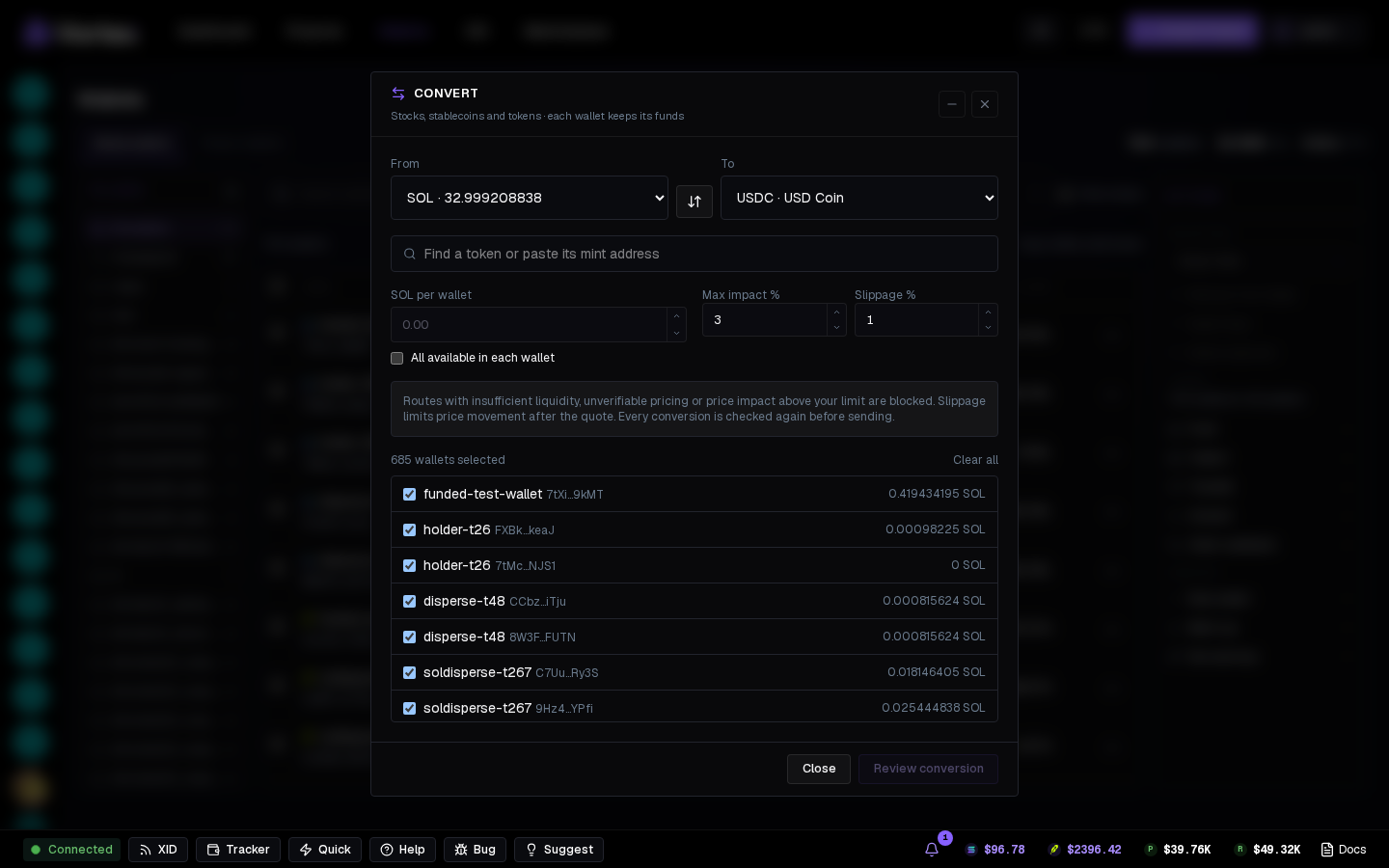
- From / To — pick a token, or find one by name or pasted mint (Use mint). The arrows between them reverse the conversion.
- The amount per wallet (e.g. SOL per wallet), or All available in each wallet.
- Max impact % and Slippage % — routes with too little liquidity, unverifiable pricing or a bigger price impact are blocked, and every conversion is checked again before sending.
- SOL for fees and token accounts stays in each wallet.
Press Review conversion, then Simulate to check it or Convert to run it. Progress is saved to your account in Operations, so you can close the dialog and return later. Stop remaining items stops queued wallets; an already-started conversion may still finish. Review receipts on any item that needs attention before starting another conversion.
Delete is soft: the row disappears, the key stays encrypted, and re-importing revives it with its history. Move funds out first — a deleted wallet is not swept for you.