Simulate & dry run
Which tasks can rehearse first, what a simulation shows, and which ones always trade for real.
Some tasks and tools can simulate: they check the supported parts of a planned run, but send nothing — no funds move, no token is minted. Others trade for real from the moment they start. Know which is which before you press Start.
Where you can simulate#
- Task forms — Buy, Snipe, Token Sender, Migrate & buy and Scheduled launch have a Simulate switch, on by default: *Check the task without sending transactions or spending funds.*
- Launches — the wizard's Simulate checks creation; Create sends it. Read the launch result for any creator buy, bundle buyers or task execution that was not tested.
- Wallets page — Collect, Transfer, Claim cashback, Warm up and Dev warmup have a Dry run box (Transfer's button reads Rehearse send while it's ticked). Convert has Simulate after Review. Close out has one too.
- Quick deploy — its own Simulate button.
Tasks that always trade for real#
Volume, Bundle, Holder Boost, Hand Switcher, Fake Volume, Anti-Sniper, Pro Trader Boost and the order tasks (Limit order, Ladder, Mirror, DCA, Trailing stop) have no Simulate switch. They send transactions and spend funds as soon as they start — size them small the first time.
A saved setup from before this change shows *This saved setup uses simulation, which is no longer available for this task.* Press Use real trading to keep it, knowing it now spends funds.
The wizard reports which parts of creation were checked. Attached tasks are not guaranteed to have been simulated; an untested task or bundle buy is called out in the result.
What a simulation shows#
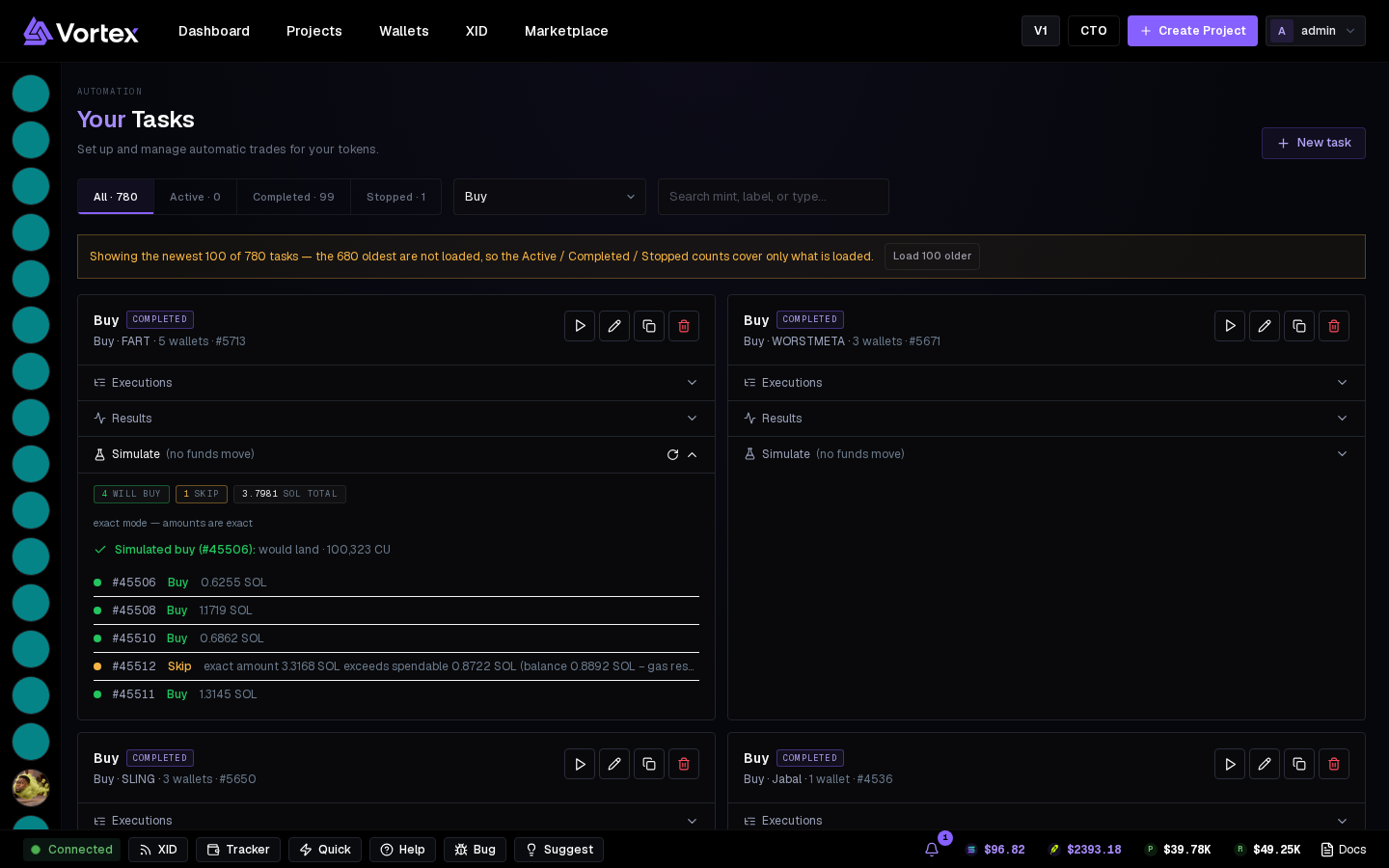
On the task card:
- Simulate (no funds move) — what the task would do right now: how many wallets will buy or skip, the total, the simulated transaction's result, and per wallet the amount or the reason it's skipped. The ↻ button recomputes it from live balances.
- Executions — rows marked simulated: checked, nothing left the wallet.
- Results — per wallet, what happened or why it was skipped.
Numbers are real: a simulation reads live balances and live prices.
Going live#
Switch Simulate off on the form before Create task — or duplicate a rehearsed task and switch it off on the copy.
With Simulate off, a task spends from your wallets the moment it starts. Rehearse, read the Simulate section, then go live.
What a simulation can't tell you#
- Whether a Jito bundle would land (depends on the tip and the network at that moment).
- Whether outside traders would front-run you.
- The exact fill of a live swap (slippage still applies live).