Export a private key
Reveal a wallet's private key after re-entering your password.
The app never shows a private key on its own. Export reveals it once, masked, in a modal, after a password check.
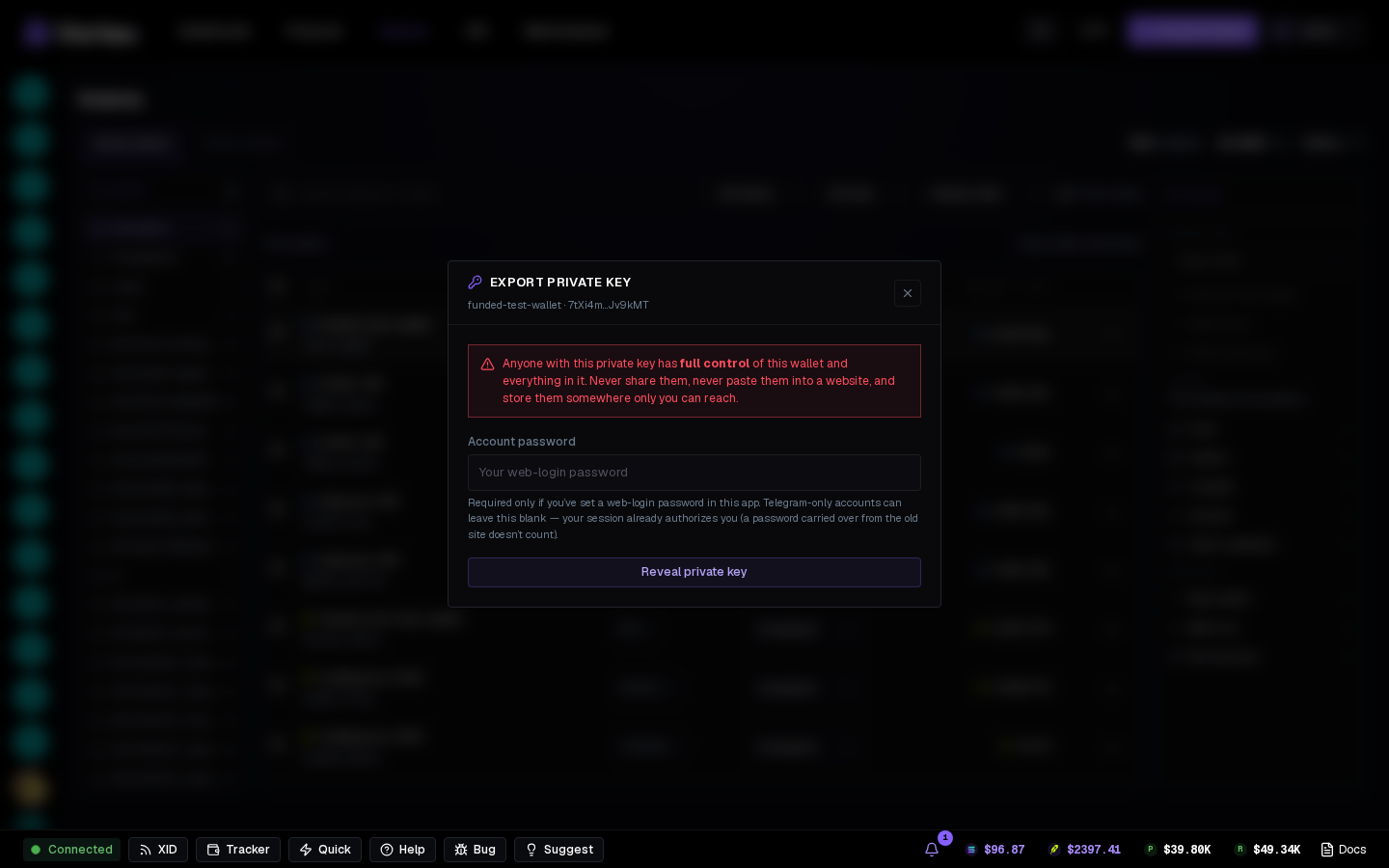
One wallet#
Row menu → Export private key. The modal names the wallet and warns you:
Anyone with this private key has full control of this wallet and everything in it. Never share it, never paste it into a website, store it somewhere only you can reach.
- Account password — required only if you've set a web-login password here. Telegram-only accounts leave it blank. (A password from the old site doesn't count until you've signed in with it here.)
- Wrong passwords are refused in the modal — your session is never ended. Repeated wrong attempts pause exports for a while; the modal says how long.
- Reveal private key — copy it, then close the modal.
Several wallets#
Select rows → Export keys in the actions column. Same password check; each key is listed with label and address.
What is recorded#
Every export is logged against your account (wallet + time). Deleted or foreign wallets can't be exported.
Treat an exported key as burned
Once a key leaves the app, assume it can leak. Move funds back to an app-generated wallet when you're done with the outside tool.