Create & import
Generate fresh keypairs or import private keys, into the pool or a project.
New wallet in the actions column opens the modal. On the Global tab the wallet joins your pool; on a project tab it's created straight into that project.
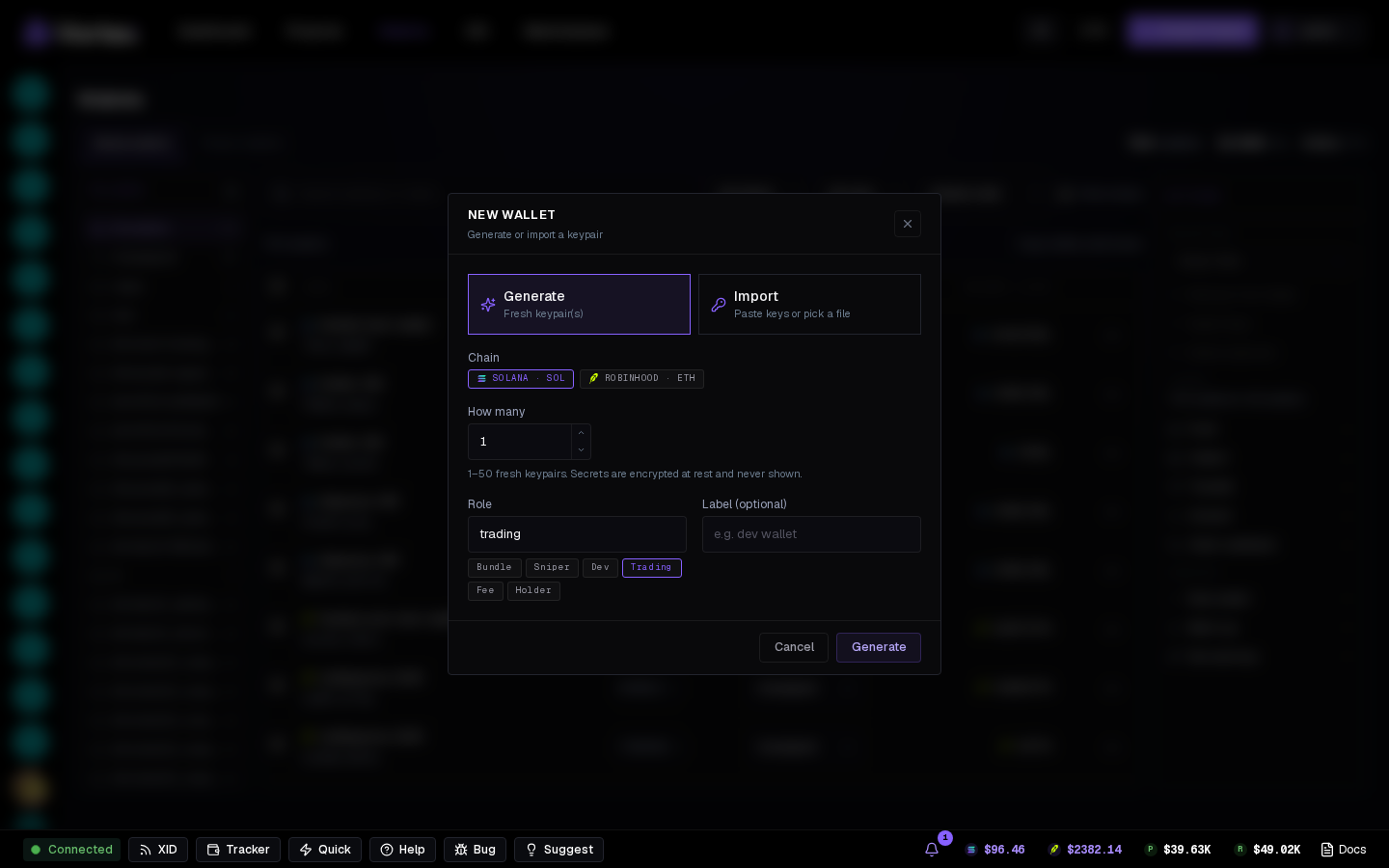
Generate#
- Chain —
SOLANA · SOLorROBINHOOD · ETH; a wallet lives on one chain. - How many — 1 to 50 keypairs at once. Secrets are encrypted at rest, never shown until you export.
- Role — Bundle, Sniper, Dev, Trading, Fee, Holder (changeable later).
- Label — optional; numbered when creating several.
Import#
- Paste a private key — one per line for many. Solana keys in base58, Robinhood keys as 0x hex.
- Keys are encrypted immediately. Re-importing a deleted wallet revives it with its old label and history.
Inside the wizard#
The wizard's Wallets step has the same flows behind Create and Import — but those wallets are project-only and never appear in the pool. Use Global there to assign pool wallets. See Wallets step.
Keys you paste
An imported key is only as private as where it came from. Prefer generating here and funding via Fund wallets.