Clone a token
Vamp fills the launch form from an existing token's name, symbol, image and socials.
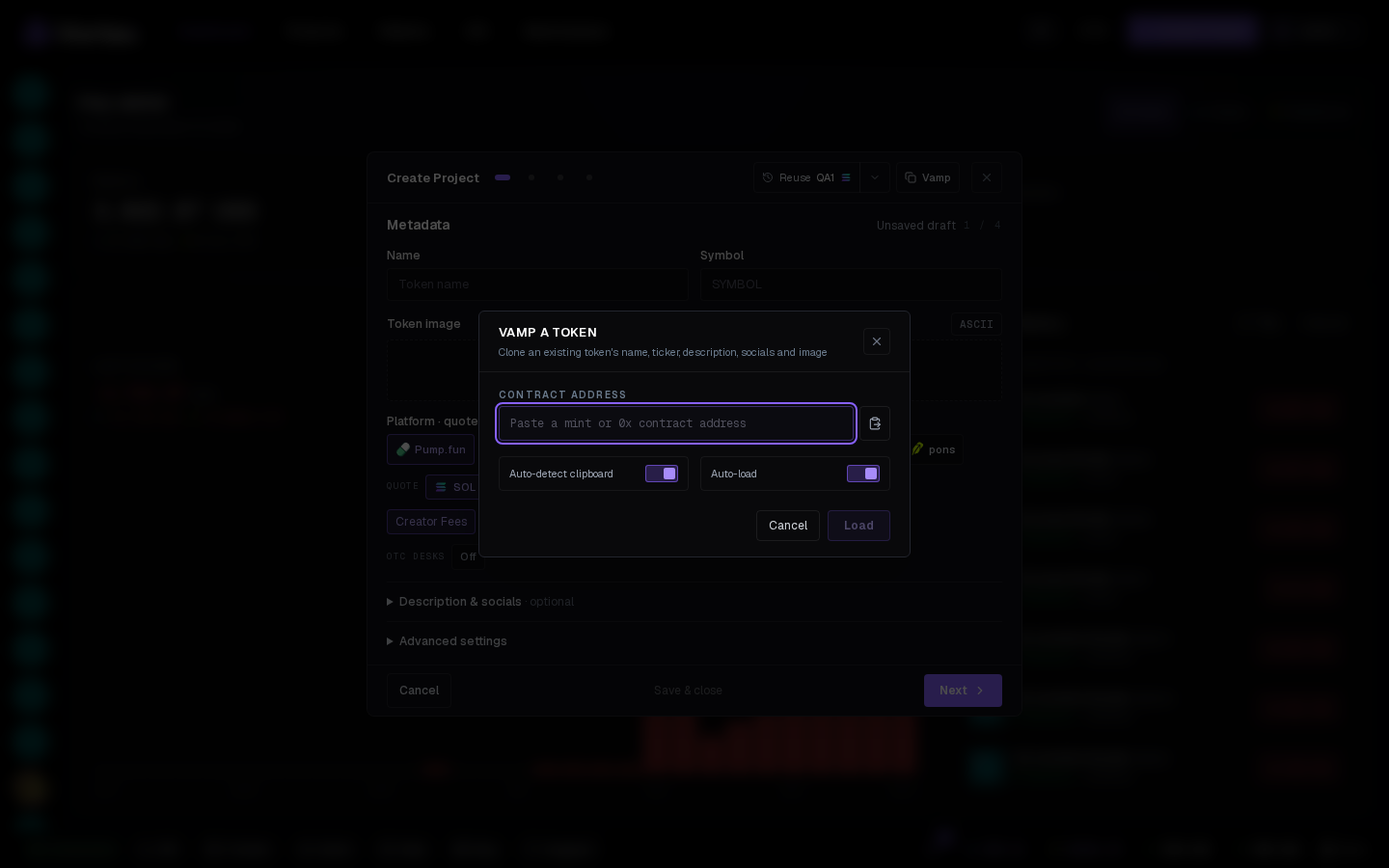
Vamp copies the look of an existing token. Paste its address and the wizard (or Quick deploy) fills with its name, symbol, description, image and socials — you launch it on your own launchpad with your own wallets. Find the Vamp tab next to Metadata on step 1, next to Settings in Quick deploy; the XID feed opens it for a contract address it spots in a post.
Using it#
- Paste a Solana mint (base58) or a 0x contract address.
- The source token's card appears: image, name, symbol, description and which socials it has.
- Use the look — the Metadata step is filled; edit anything before going on. The image is stored by the app, so the clone doesn't depend on the original's hosting.
Options#
- Auto-detect clipboard — reads an address from your clipboard when you open the tab.
- Auto-load — loads the token as soon as a valid address is pasted.
What Vamp doesn't copy
Only metadata. Launchpad, quote, wallets, dev buy, creator fee and tasks are yours to set; nothing about the source's curve or holders carries over.