Notifications
An account inbox for operation, task and marketplace updates, with optional delivery.
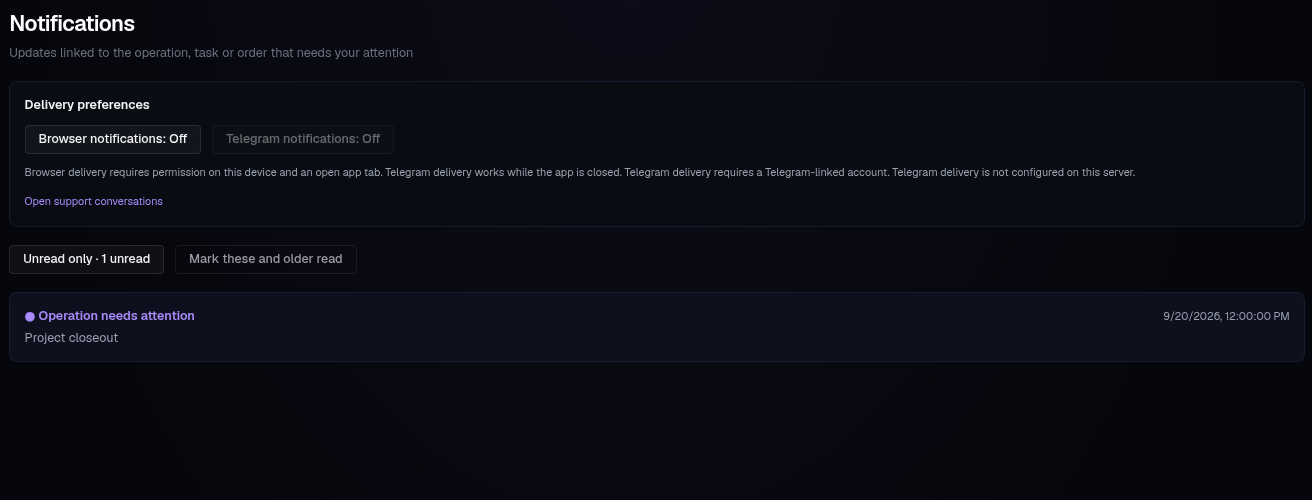
Open Notifications from the account menu or workspace search. Each update links to the operation, task or marketplace order it concerns. The inbox and read state are saved to your account.
Read updates#
- Open an update to follow its link and mark it read.
- Unread only filters the inbox; Show all brings read updates back.
- Mark these and older read marks updates through the newest one in the current view.
- Older loads earlier updates; Newest returns to the latest page.
Support conversations have their own inbox. Use Open support conversations to read or reply to support.
Delivery preferences#
Delivery is optional. Updates remain in the inbox even if delivery is off or fails.
| Channel | Requirements |
|---|---|
| Browser notifications | Enable delivery, allow permission on this device, and keep an app tab open |
| Telegram notifications | A Telegram-linked account, an available server bot and delivery enabled |
Telegram can deliver while the app is closed. If the button is disabled, the page explains which requirement is missing. A delivery that has not been confirmed is not proof that the underlying operation failed; open the update for its saved result.