Support
Tickets, bug reports and feature requests — and how replies reach you.
Every message to the team is a ticket in the Support inbox (opened from the profile page or avatar menu). The footer's Bug and Suggest buttons file the two special kinds from anywhere.
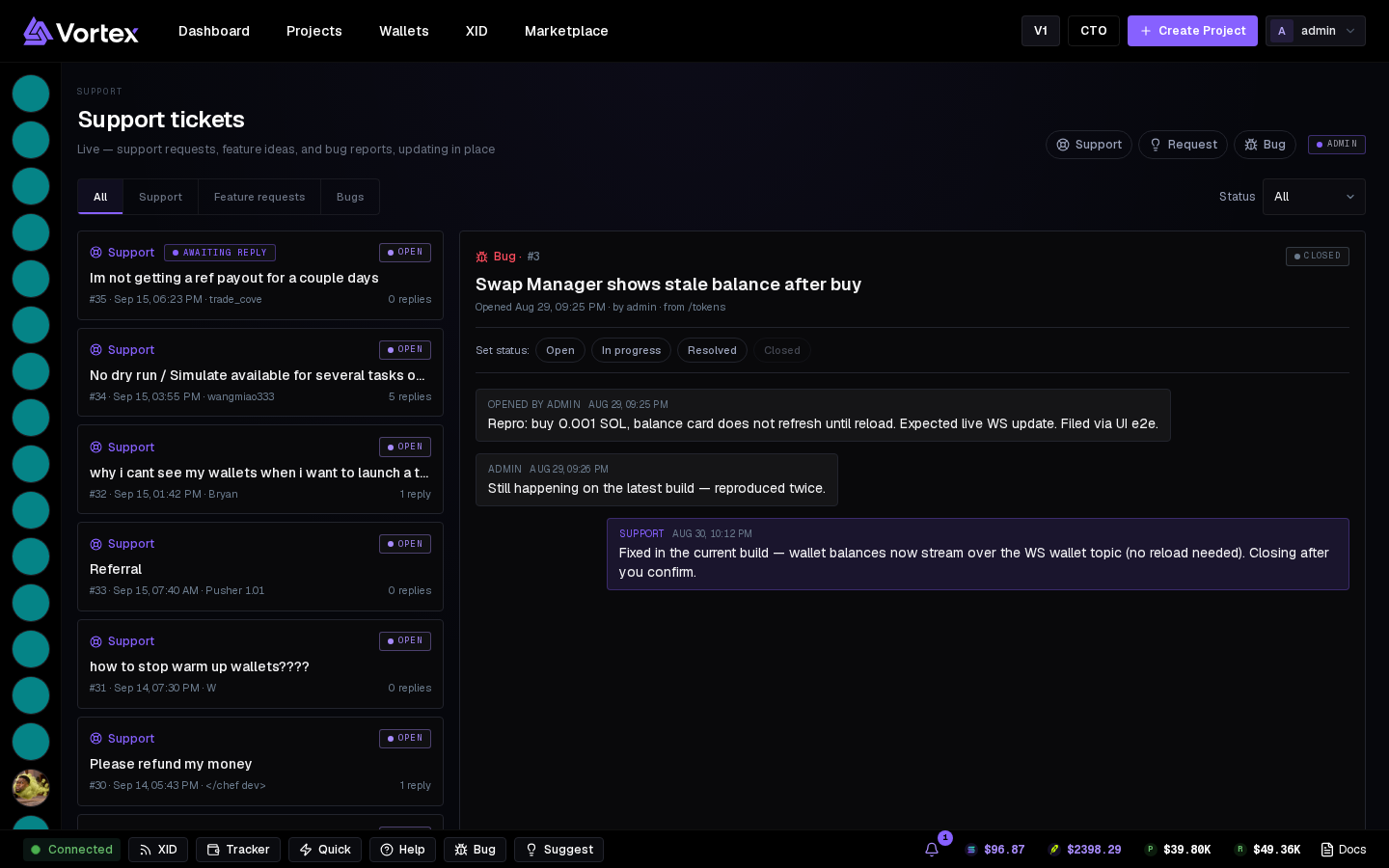
The inbox#
- New — Support, Request or Bug, with subject and details.
- Filters by kind and status: Open, In progress, Resolved, Closed.
- Pick a ticket to read the thread and reply. Team replies show on the ticket and in the top bar's bell.
Bug reports#
Bug in the footer → Report a bug. Say what you did, what you expected, what happened — with the task number or token if there is one. The report carries the page you were on.
Feature requests#
Suggest in the footer → Request a feature. Requests are read; the changelog on the Docs home lists what shipped.
Include the task number
Every task card shows #id — a ticket with the number lets support look at that exact run.