Mixer
Move SOL or ETH through an exchange hop with Husher — fund many wallets from one order, or collect many without a shared order.
Mixer routes coin through a Husher exchange order (Binance, KuCoin or Bitget), so there's no on-chain link between source and destination. It isn't a task type under New task — it's a method you pick on the Wallets page, in Fund or Collect.
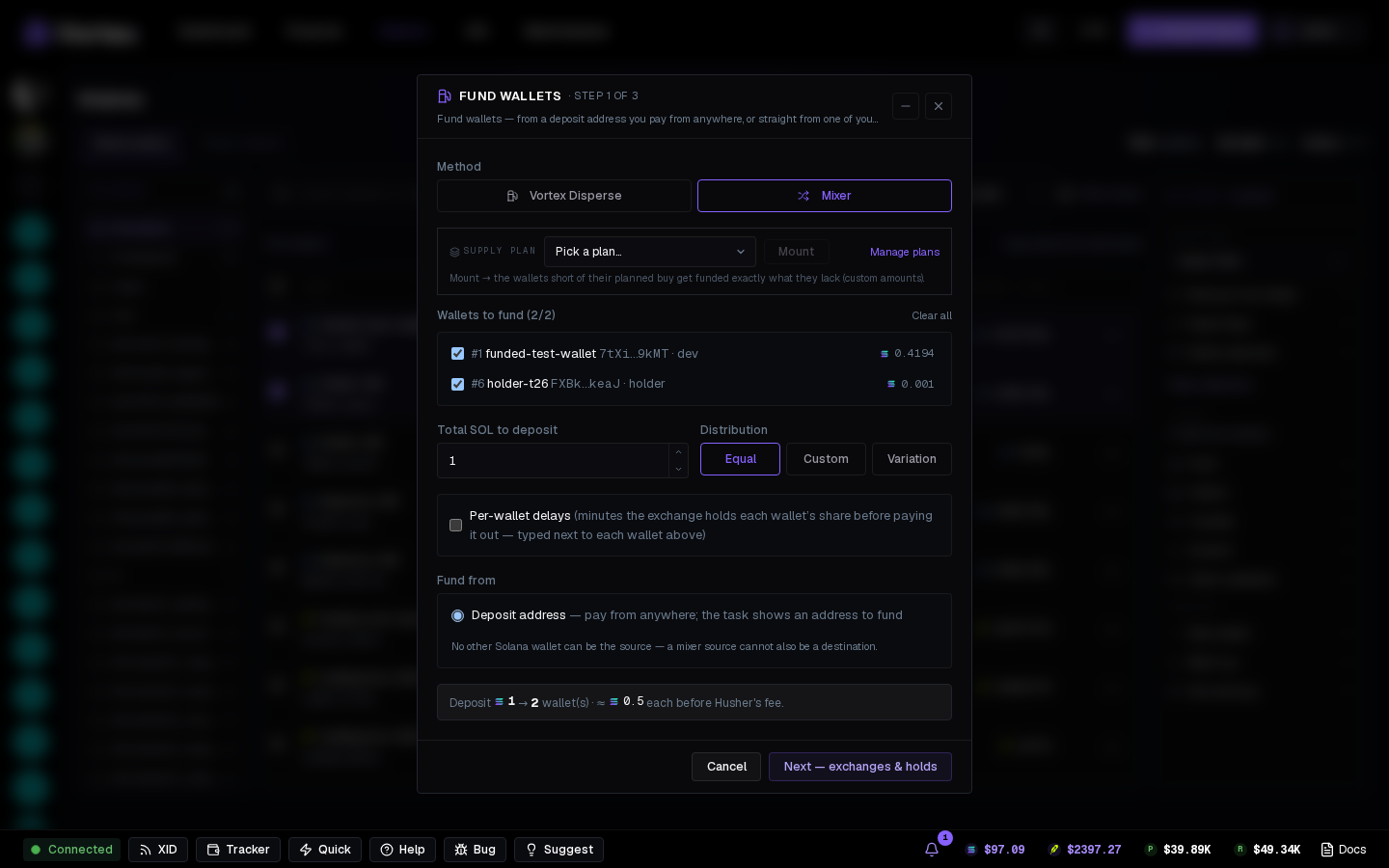
Funding through the Mixer#
In Fund wallets, pick Mixer under Method. The modal runs in three steps:
- Wallets and amounts — tick the wallets to fund, set Total SOL to deposit (or ETH) and the Distribution: Equal, Custom or Variation. Per-wallet delays sets how long the exchange holds each wallet's share before paying it out. Under Fund from, pick the Deposit address or one of your wallets — a wallet you're funding can't also be the source. The line at the bottom shows what each wallet gets before Husher's fee.
- Exchanges and holds — each wallet gets its own exchange and hold time. Randomize exchanges and Auto-distribute holds spread them for you.
- Deposit — pay the exact amount shown to the deposit address (or watch it go out from your wallet). The exchange then pays each wallet.
Each destination must receive at least 0.15 SOL or 0.01 ETH.
Collecting through the Mixer#
In Collect funds, pick Mixer (one order per wallet). Every source wallet opens its own Husher order paying the destination, so no shared order links the wallets. Husher's fee comes out of each deposit.
No platform fee on Mixer orders. Husher takes its own fee out of the total.