XID feed
Live X/Twitter monitoring of a shared account catalog, with a Deploy button on every post.
XID is the app's X/Twitter monitor. A shared catalog of ~900 accounts is watched around the clock; every post, follow or profile change lands in your feed within seconds, and each post carries a Deploy button that opens the create wizard with the post as the token. Three tabs: Feed, Accounts, Settings. The footer's XID button opens the feed as a side column on any page.
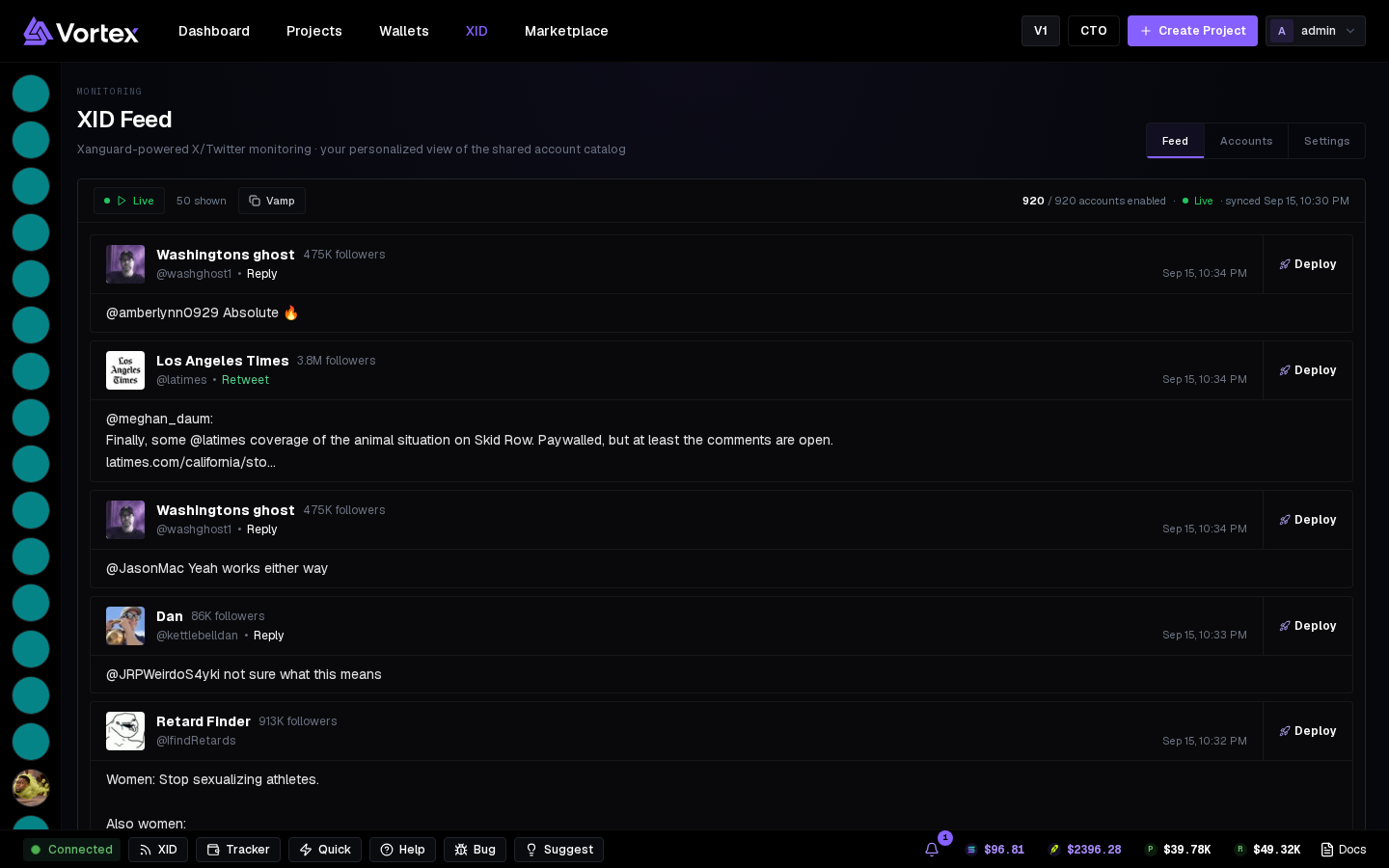
Feed#
- Header: Live status, posts shown, and your accounts enabled count.
- Each post card: avatar, name, handle, event type, text, media, and Deploy.
- Vamp in the header opens Clone a token without leaving the feed.
- Pause on hover (Settings → Feed) stops the feed moving under your mouse.
Posts aren't stored — the feed shows what arrived while it was open, newest first.
Accounts#
The catalog is shared; you control what reaches your feed.
- Sort by Newest, Enabled first or A–Z.
- Enable all / Disable all, or toggle per account — with per-account event type choices.
Settings#
- Auto-enable new accounts — off means only accounts you explicitly enabled reach you.
- Global event filter — Posts, Following, Profile updates, OCR, Translation. Per-account choices override it.
- Notifications — sound, volume, CA detection (alerts on posts containing an address or ticker), and per-account custom notifications. Notifications follow your account; feed settings are per device.
Shared catalog, personal view
Toggling an account changes only your feed. To add an account to the catalog, ask via Support.