Wallets
The Wallets page gives you full control over wallet creation, funding, and management. You can manage wallets for specific projects or create reusable global wallets that can be imported across multiple projects.

Two Wallet Types
- Project Wallets – Wallets tied to a specific project. Use these for project-specific operations like token buys, sells, and trading. Each project has its own set of wallets.
- Global Wallets – Reusable wallets that can be imported into multiple projects. Create once and reuse across projects. Organize them into groups for easier management.
Project Wallets Tab
Select Project
Use the dropdown at the top to choose which project's wallets to view:
- Shows project name & metadata
Wallet List
Each wallet is displayed in a table with:
- Address – The wallet's public key
- Name – Wallet identifier (e.g., Creator, Wallet 2)
- Balance – Current SOL balance
- Actions – Edit name, export, delete
Other Actions
- Fund – Fund multiple wallets at once
- Collect Funds – Collect SOL from selected wallets
- Export All – Download all wallet addresses
Add Wallets
- Create Wallets – Generate new wallets directly in Vortex
- Import Batches – Import wallets from external sources in bulk (supports base58, base64, or JSON array formats)
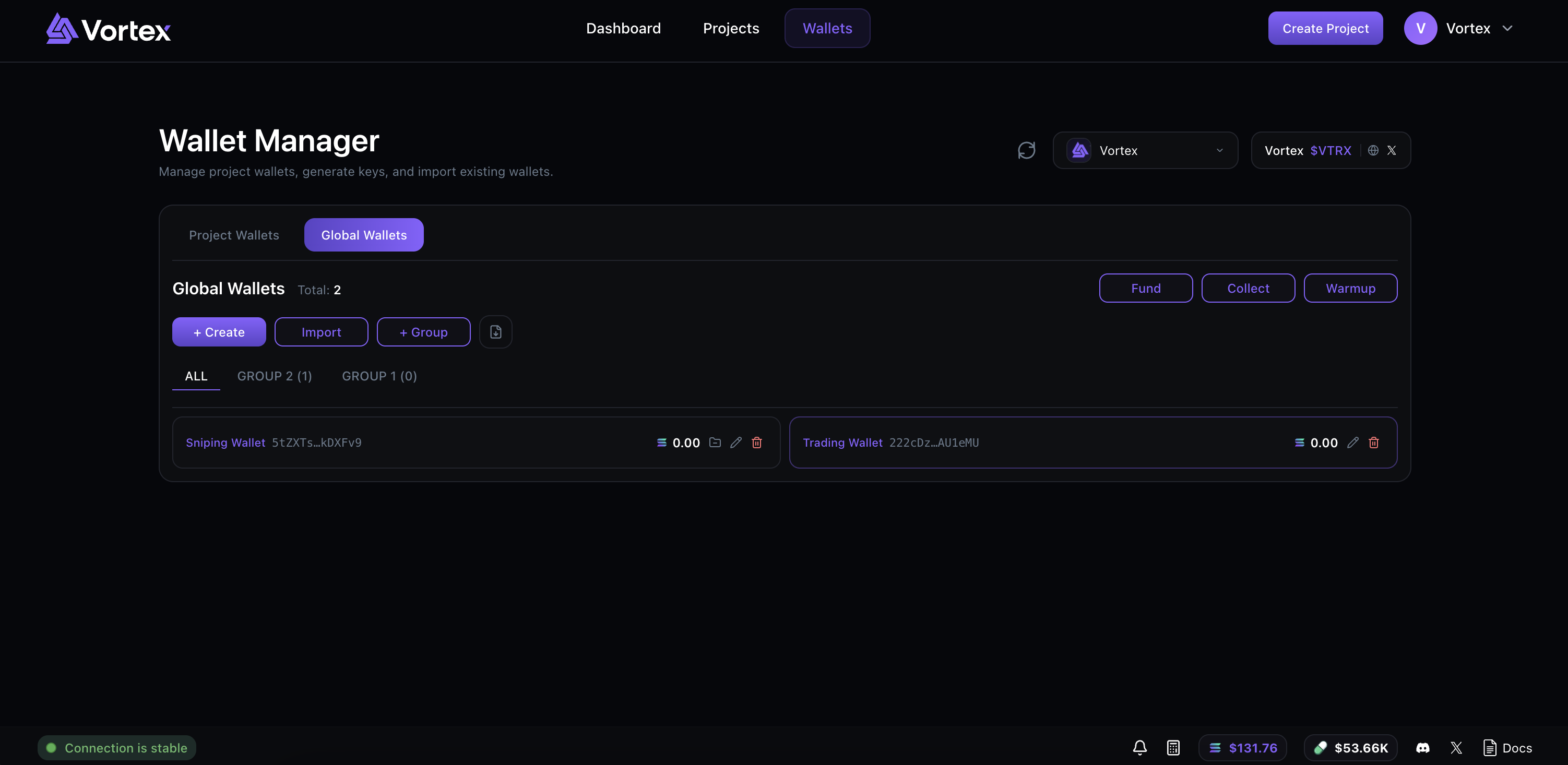
Global Wallets Tab
Groups
Organize global wallets into groups:
- All – View all global wallets
- Group Tabs – Each group has its own tab showing wallet count (e.g.,
Devs (3)) - Groups are sorted by wallet count (most to least)
Group Actions
- Create Group – Add a new group to organize wallets
- Edit Group – Rename an existing group
- Delete Group – Remove a group (wallets remain, just ungrouped)
- Add Wallets – Add existing global wallets to a group
- Import to Group – Import wallets directly into a group
Wallet Management
- Create Global Wallet – Generate a new global wallet with a custom name
- Import Global Wallet – Import an existing wallet by private key (auto-detects format)
- Edit Name – Rename wallets for easy identification
- Export – Download wallet private key
- Delete – Remove a wallet from your global collection
Import to Project
- Select global wallets and import them into any of your projects
- Import entire groups at once
- Wallets maintain their names when imported
Other Actions
- Fund – Fund multiple global wallets at once
- Collect Funds – Collect SOL from selected wallets
- Export All – Download all global wallet addresses
Key Differences
| Feature | Project Wallets | Global Wallets |
|---|---|---|
| Scope | Tied to one project | Reusable across projects |
| Organization | By project | By groups |
| Naming | Custom names | Custom names |
| Import | Project-specific | Can import to multiple projects |
| Use Case | Project-specific trading | Reusable trading wallets |
Best Practices
- Use Global Wallets for wallets you'll reuse across projects
- Use Project Wallets for project-specific operations
- Create Groups to organize global wallets by purpose (e.g., "Devs", "Trading", "Sniping")
- Name your wallets to identify them easily
- Fund your developer wallet separately from other wallets for best results
Connected